 Membership
- MetaTrader 4
- Indicator
- v5.1
- Updated: 10/29/2026
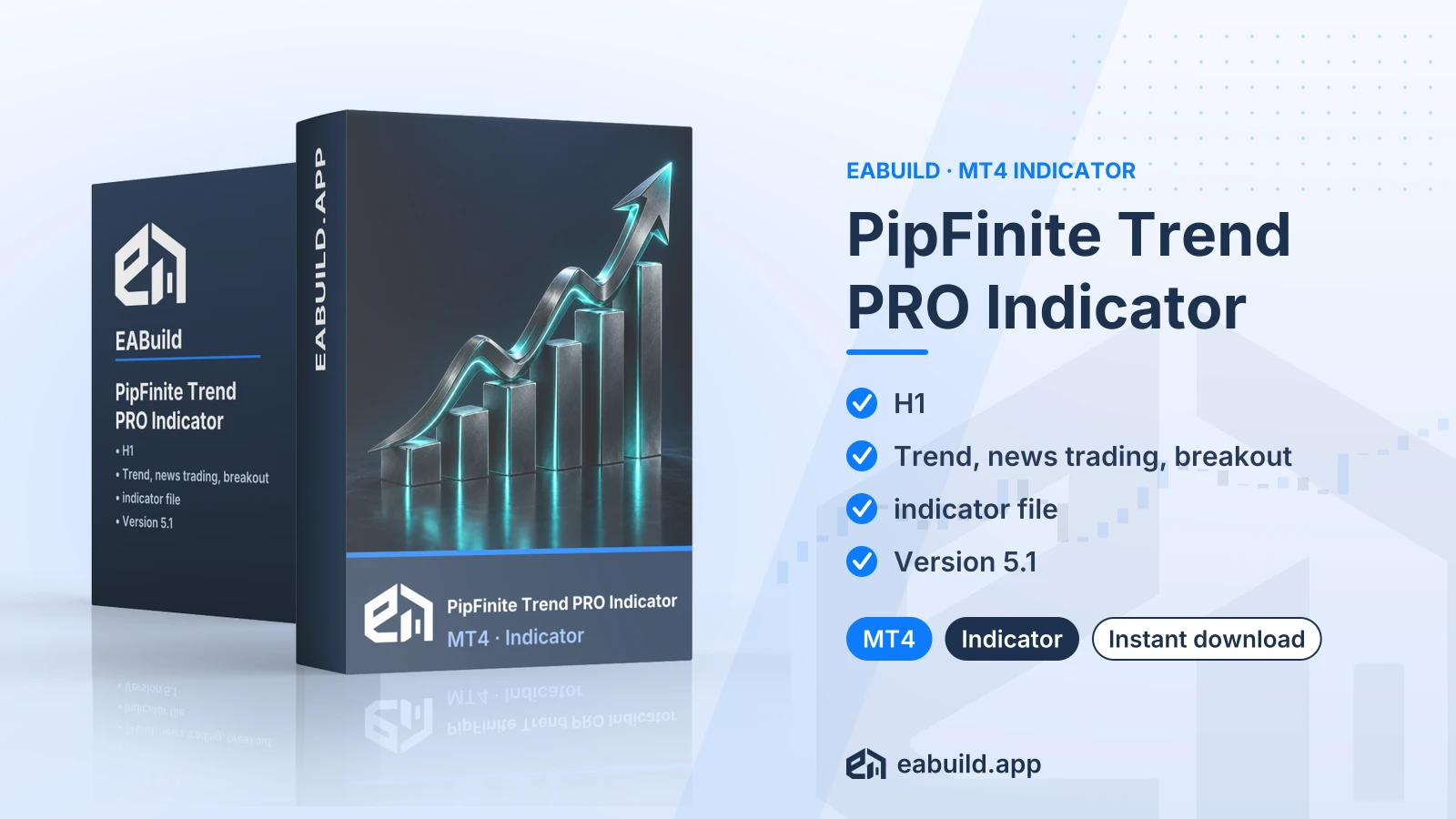
PipFinite Trend PRO Indicator for MT4
A MetaTrader 4 indicator for the H1 timeframe, built around trend, news trading and breakout signals, delivered as one compiled file.
- MetaTrader 4, build 1471 or higher
- Version 5.1
- Timeframe H1
- Trend, news trading and breakout signals
- One compiled indicator file, no DLL
Choose how to get it
$19.00
Digital product — download after payment
Download right after payment
Refund policy
Refunds within 7 days of purchase for a broken or mismatched file, a duplicate charge, or a paid order without download access. No refund once a working file is downloaded, and no profit guarantee.
Read the refund policyPipFinite Trend PRO is an indicator for MetaTrader 4 that works with trend, news trading and breakout signals on the H1 timeframe. It draws on the chart and does not place trades by itself.
- Platform: MetaTrader 4 (build 1471+), version 5.1
- Timeframe: H1
- Signal type: trend, news trading, breakout
- Listed minimum deposit: $50
- In the package: one compiled indicator file, DLL: no
The PipFinite Trend PRO indicator MT4 download is a chart indicator for MetaTrader 4, version 5.1. The listing describes its signals as trend, news trading and breakout, and gives H1 as the timeframe.
An indicator shows information on the chart for you to read. It does not open or close orders on its own, so any trade decision stays with you. That makes it a fit for traders who use MetaTrader 4 and prefer to judge the signals themselves on hourly charts.
The download contains one compiled indicator file. It has no source code, no set files and no PDF guide, and it does not need a DLL. You need MetaTrader 4 build 1471 or higher.
See the Strategy & Settings tab for what the signal types mean and how to approach testing. It is a digital download. Add it to your cart and download it. It is also included in the membership, which gives you access to every product in the catalogue.
Trading foreign exchange and CFDs carries a high level of risk and may not be suitable for all investors. Past performance does not guarantee future results; only trade with money you can afford to lose.
Signal types
The listing gives three strategy labels: trend, news trading and breakout. They describe the kind of situation the indicator is designed around, not a result you can expect.
- Trend: signals that follow the direction price has been moving.
- News trading: trading around economic releases, when spreads can widen and slippage is common.
- Breakout: entries when price leaves a range; false breakouts happen.
Timeframe, symbols and deposit
The listed timeframe is H1. The listing does not name specific symbols, so check how the indicator behaves on each symbol you plan to use before relying on it. The listed minimum deposit is $50.
Files and settings
The package has one compiled file and no set files (a set file is a saved list of input settings you load in MetaTrader). Any input values are changed in the indicator's properties window after you attach it to a chart.
General practice
Test the indicator on a demo account first. Check the settings before you trade live, and decide your position size and exit rules in advance. Signals around news releases can arrive when spreads are wider than usual.
This product is for MetaTrader 4 only and needs build 1471 or higher. You can check your build under Help > About in the platform.
- Extract the downloaded zip file. It holds one compiled indicator file.
- In MetaTrader 4, choose File > Open Data Folder, then open MQL4 > Indicators and copy the file there.
- Restart the platform or refresh the Navigator, then drag the indicator onto an H1 chart.
There are no set files to load, and the listing states that no DLL is involved. The listing does not name allowed symbols, so test on a demo chart of the symbol you want to use. If you still need the platform itself, it is available from metatrader4.com.
Does it work on MT4 or MT5?
This download is for MetaTrader 4, build 1471 or higher. The listing does not state MetaTrader 5 support, so do not plan to use it there.
What exactly do I get in the download?
One compiled indicator file for version 5.1. There is no source code, no set file and no PDF guide in the package, and it does not need a DLL.
How do I install it?
Copy the compiled indicator file into the MQL4 > Indicators folder through File > Open Data Folder, then refresh the Navigator and attach it to an H1 chart. The Installation tab has the full steps.
Does it place trades for me?
No. It is an indicator, so it draws information on the chart. Any order you place is your own decision.
Does it carry trading risk?
Yes. Trading is risky and an indicator does not remove that. Test it on a demo account first and check the settings before you trade live. Read the risk notice at the end of the Overview tab and the risk warning before you trade with real money.
What if I need help or a refund?
Please read the refund policy for how refunds are handled.
- Platform
- MetaTrader 4
- Type
- Indicator
- Category
- Indicator
- Version
- v5.1
- Updated
- 10/29/2026
| Role | File name | Size | Version |
|---|---|---|---|
| Executable file | PipFinite_Trend_PRO_Indicator_for_MT4.zip | 95.0 KB | v5.1 |
Related products
Membership Membership
 Membership
 Membership
 Membership
 Membership
| Product | Platform | Type | Version | Membership | Price |
|---|---|---|---|---|---|
| Scalper Inside PRO Indicator for MT4 | MetaTrader 4 | Indicator | v7.9 | Membership | $19.00 |
| FX Vortex Indicator for MT4 | MetaTrader 4 | Indicator | latest | Membership | $19.00 |
| Order Block Indicator for MT4 | MetaTrader 4 | Indicator | latest | Membership | $19.00 |
| Smart Market Structure Concepts Indicator for MT4 | MetaTrader 4 | Indicator | v13.7 | Membership | $19.00 |
| Trend Indicator for MT4 | MetaTrader 4 | Indicator | v3.0 | Membership | $19.00 |
| Gold XAUUSD M1 M5 Scalping Indicator for MT4 | MetaTrader 4 | Indicator | latest | Membership | $19.00 |
Reviews
No reviews yet.
Tags: MetaTrader Indicators
$19.00